
ZFOLD8 Manager app icon
Live on Google Play EXP-01

ZFOLD8 Manager

Per-screen display size that switches when you fold or unfold, plus Flex mode for half-fold use.

How we got here: ZFOLD8 DPI Manager came first. Then we developed ZFOLD8 Flex. Then we decided to merge the two projects into one app, ZFOLD8 Manager, which is the one on Google Play now.

Temporary soft root (recommended) or Shizuku. Minimal ads, with an optional one-time $4.99 Remove Ads purchase.

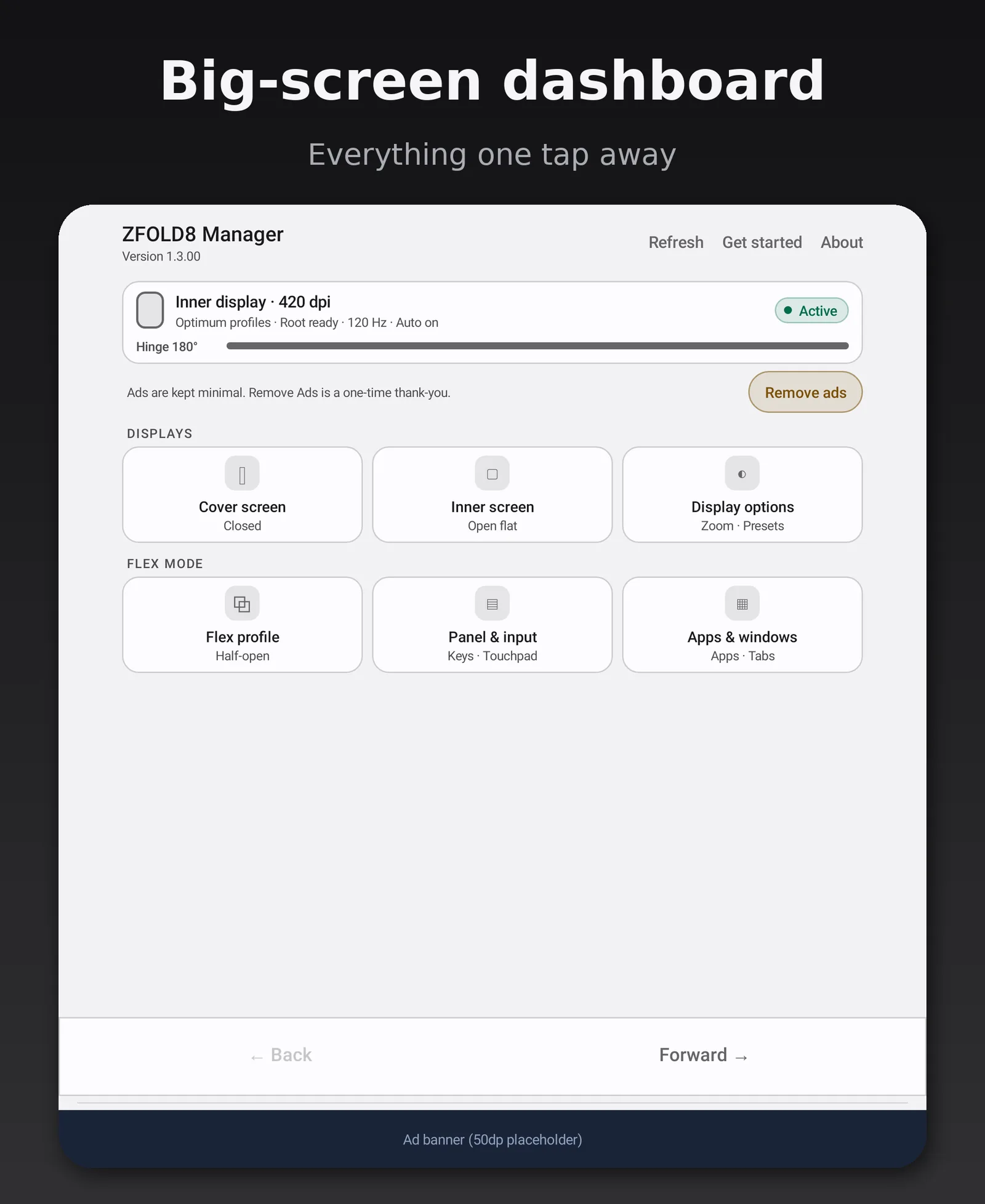
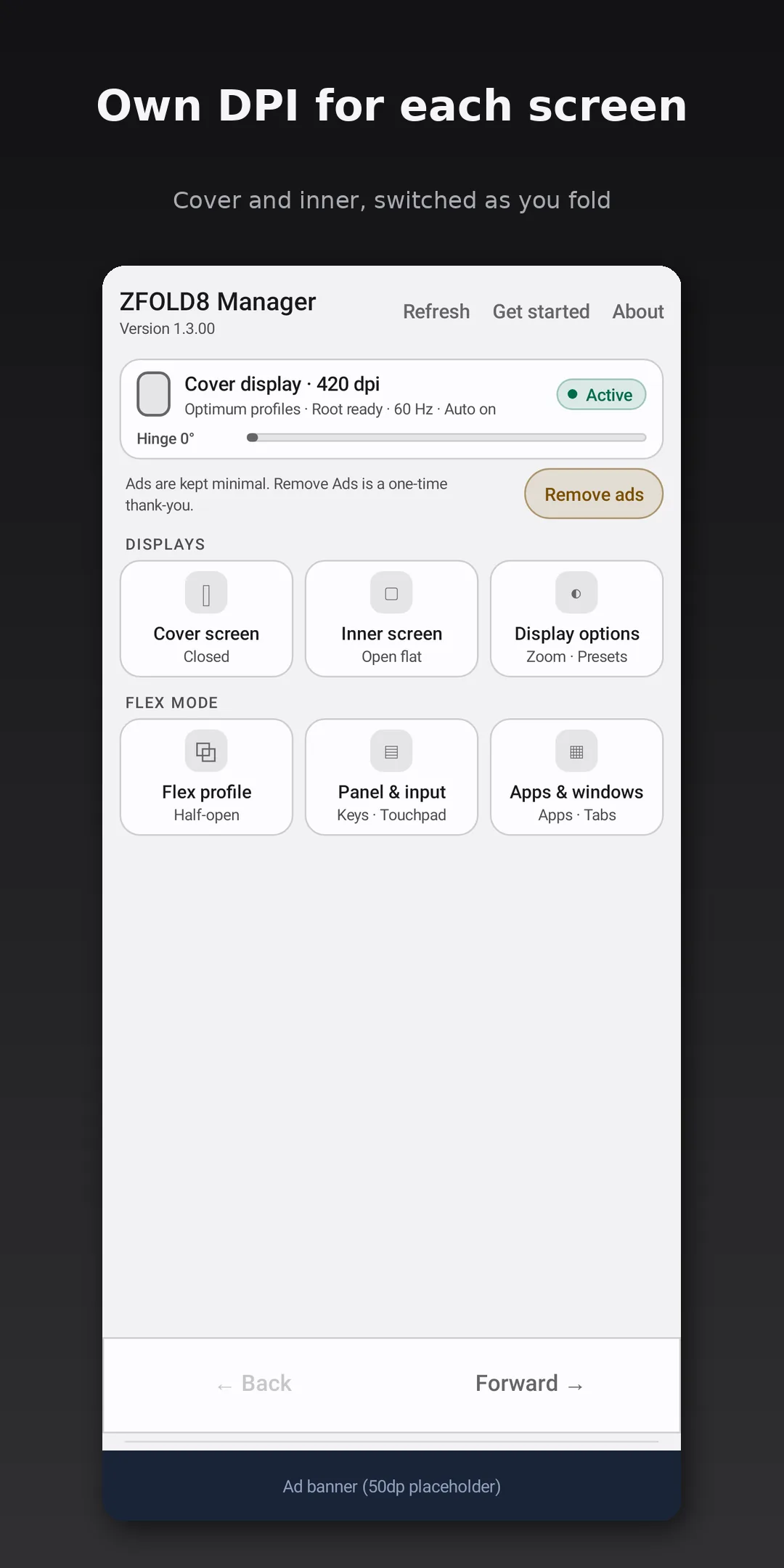
Cover screen home: display size per screen, switched as you fold

Overview

One phone, two screens, two sizes

Set one display size (DPI, also called screen zoom) for the cover screen and a different one for the inner screen. The app switches between them on its own when you fold or unfold the phone.

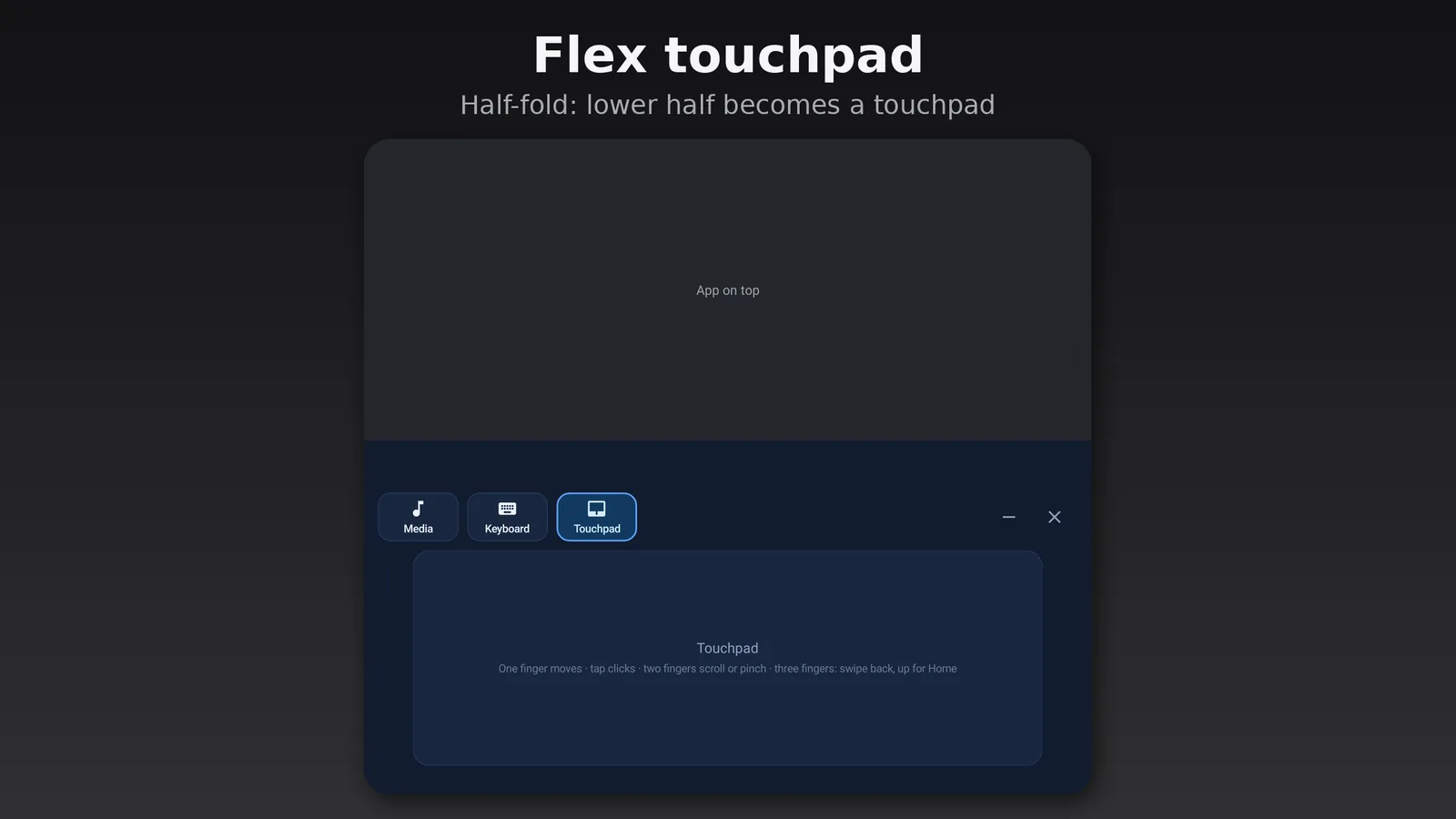
Flex mode is built in too: half-fold the phone and use the bottom half as a touchpad and keyboard while your app stays on top.

Developer
Lab-Rats Incubator
Platform
Android, on Google Play
Made for
Galaxy Z Fold8 (built and tested for the Fold8 only)
Requires
Temporary soft root with DirtyFrag (recommended) or Shizuku
Pricing
Minimal ads, optional Remove Ads purchase (details)
Account
None needed
Version
v1.3.00
Package
app.zfold8.dpi.manager

Videos

See it in action

An animated tour of ZFOLD8 Manager v1.3.00.

ZFOLD8 Manager on the Fold. Own DPI for the cover and inner screens, switching automatically when you fold or unfold, plus Flex mode. Animated demo, not a phone recording.

Features

What it does

Display

  • Separate DPI per screen

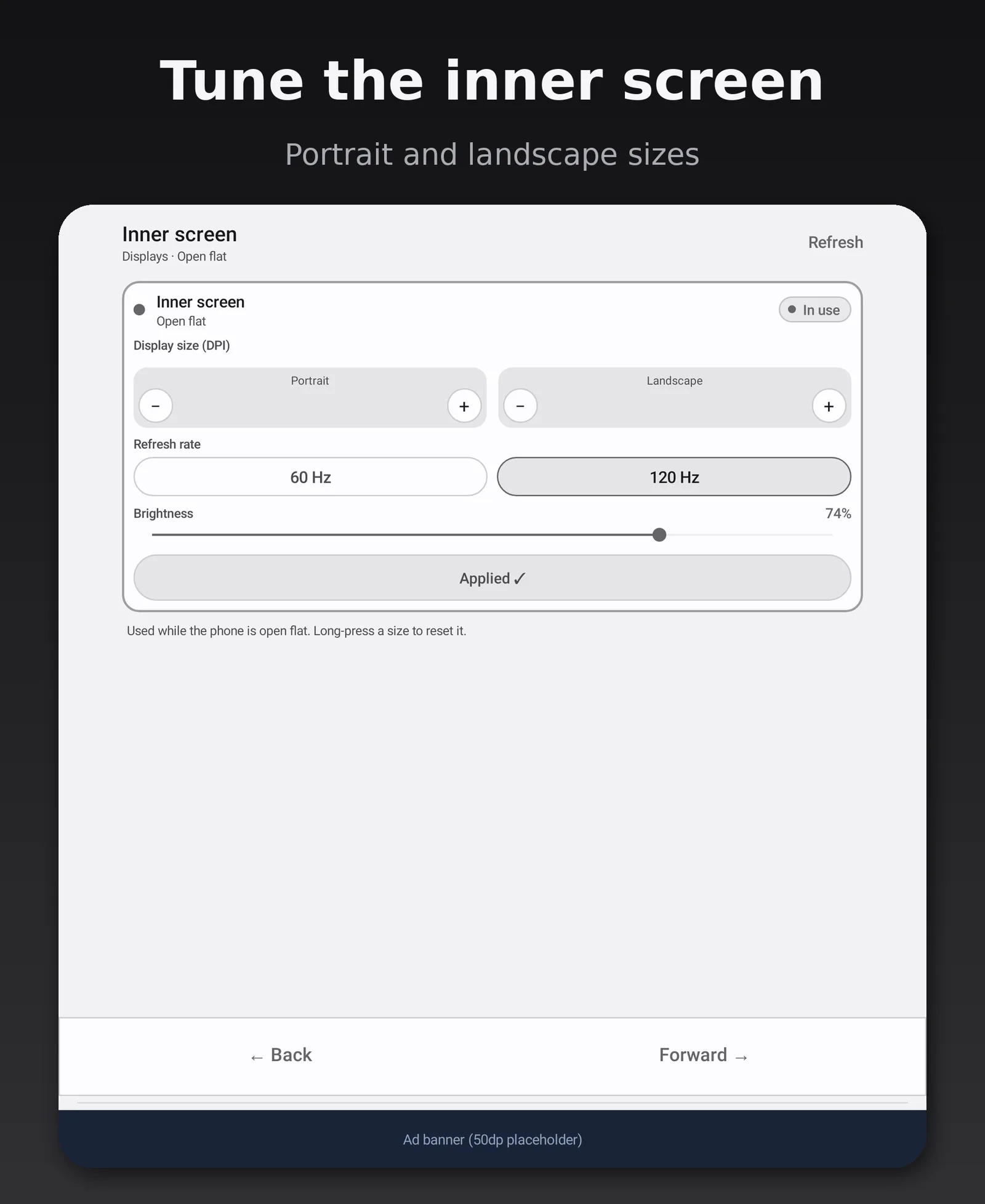
    Its own display size (DPI, also called screen zoom) for the cover and inner screens, with portrait and landscape values on each.

  • Auto-switch on fold

    Switches on fold, unfold and half-fold, with an optional short delay. Resumes on its own after a restart.

  • Presets, refresh rate, brightness

    Optimum or Factory presets plus up to 20 saved ones. 60 or 120 Hz and brightness per screen.

Flex mode

  • Half-fold control panel

    Half-fold like a laptop for media, keyboard and touchpad tabs. It ends when you open flat or close.

  • Touchpad gestures

    Two-finger scroll and pinch, three-finger swipe for Back, swipe up for Home.

  • Stays out of the way

    Skips your home screen, lock screen, notification shade and Settings. ✕ closes, – minimizes.

Setup & shortcuts

  • Root or Shizuku

    Choose a temporary soft root (recommended, easier) or Shizuku (no root). You only need one.

  • Tile and widget

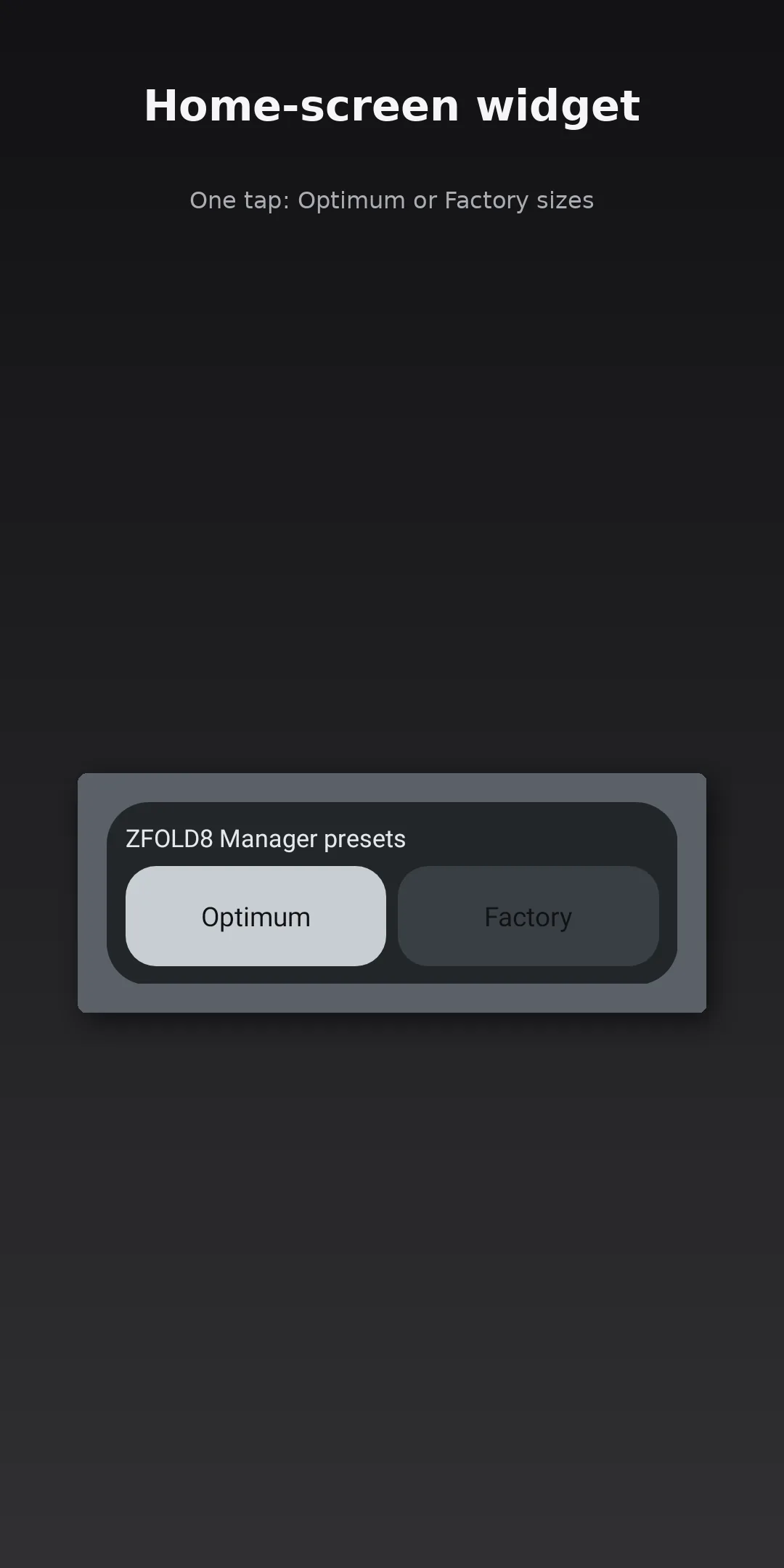
    The “DPI preset” Quick Settings tile and a one-tap Optimum/Factory widget.

  • Backup and restore

    Save your settings to a file and restore them later.

Coming soon

  • Coming soon

    Per-app DPI

  • Coming soon

    Translations

Optional Accessibility service (Flex touchpad and keyboard only)

The Flex touchpad and keyboard helper use an Accessibility service (“ZFOLD8 Manager touchpad & keyboard”). It is off by default and you turn it on yourself. It does not read, collect, store or share your screen content, typed text or personal data, and nothing leaves your device. DPI switching does not use it.

Good to know: Some apps reload when the display size changes, which is normal Android behavior.

Requirements

What you need

  • A Galaxy Z Fold8Built and tested for the Galaxy Z Fold8 only. A user has reported it working on the Fold7, but that isn't officially supported.
  • Root (recommended) or ShizukuChanging display size needs system-level access: a temporary soft root with DirtyFrag + KernelSU (easier), or Shizuku with no root. Steps are in Setup.
  • About 5 to 10 minutes, onceThe first setup takes a few minutes. After that, you just fold and unfold.
  • Unrestricted battery useRecommended, so automatic switching keeps running in the background.

Setup overview

Root or Shizuku

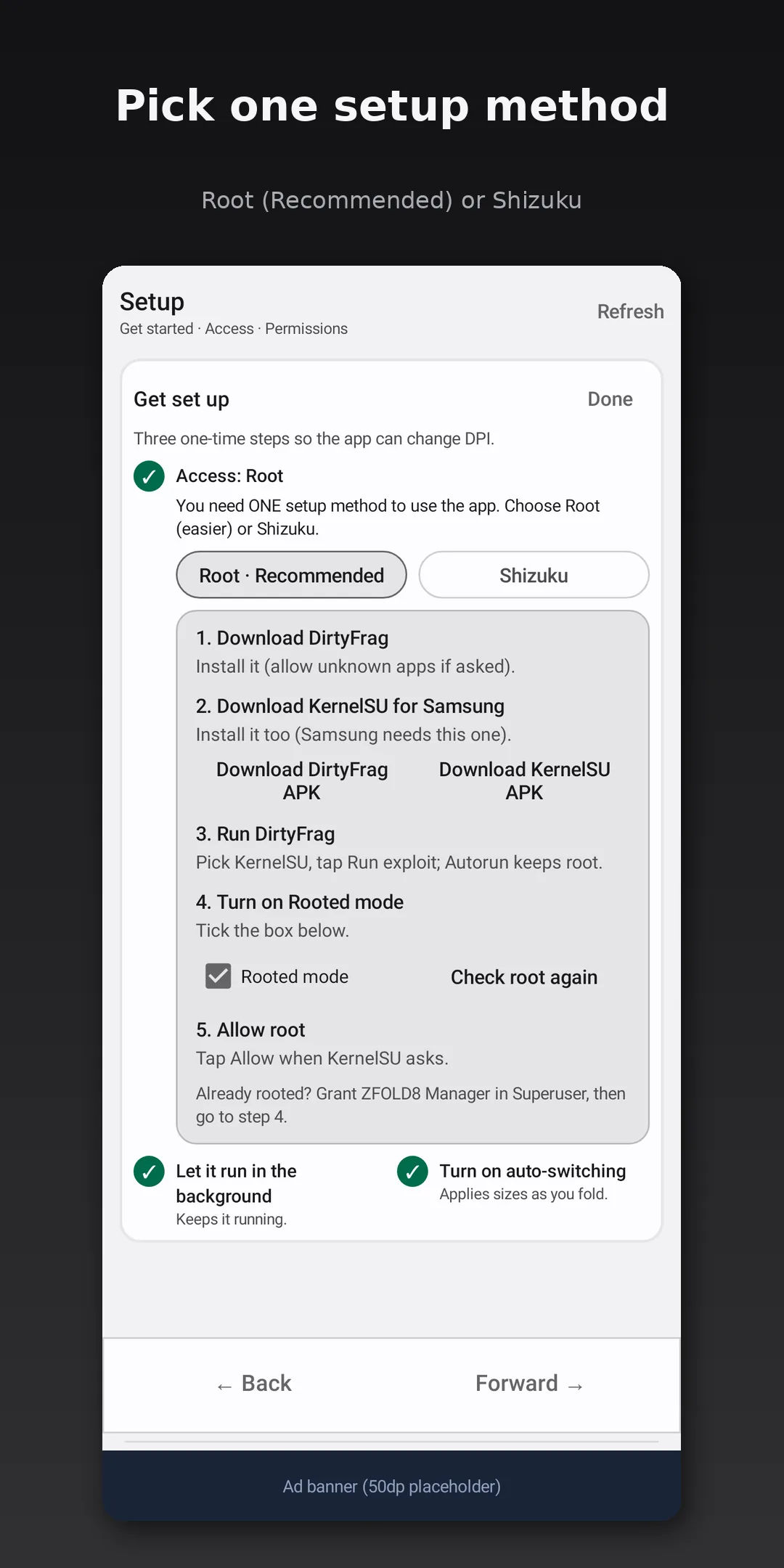
Pick one. The app walks you through each step on the phone; this is the general outline.

Setup guide (Root or Shizuku). An animated walkthrough of both setup methods, with sound. Animated demo, not a phone recording.

Option 1 · Recommended, easier

Root

  1. Install DirtyFrag from its latest GitHub release.
  2. Install KernelSU from its latest GitHub release.
  3. Run DirtyFrag.
  4. Open ZFOLD8 Manager and turn on Rooted mode.
  5. Allow root when KernelSU asks.

DirtyFrag is a temporary soft root. Nothing is flashed and the bootloader stays locked, and a restart fully removes root (if you turn on DirtyFrag's Autorun, it just runs again after each start). Tested on our own Galaxy Z Fold 8: Knox stays at 0x0, so the warranty flag isn't tripped.
Option 2 · No root

Shizuku

Shizuku is a separate app that lets other apps use system-level features, started through Android's Wireless debugging.

  1. Install the Shizuku app.
  2. Turn on Developer options on your phone.
  3. Turn on Wireless debugging and pair Shizuku over Wi-Fi.
  4. Start Shizuku, then grant access to ZFOLD8 Manager.

After a restart: without root, Shizuku has to be started again after each phone restart. That's how Shizuku works.

Tip: Can I hide the notification?

Yes. Hiding or silencing ZFOLD8 Manager's notification in Android settings only hides the icon, and auto-switching keeps working. Don't force-stop the app or set its battery use to Restricted; keep it on Unrestricted or Optimized. Once the notification is hidden, ZFOLD8 Manager works discreetly in the background, switching zoom automatically whenever you fold or unfold, with nothing to see or tap.

Screenshots

A look inside

Disclosures

Ads, pricing & privacy

Ads & pricing

Minimal ads, with an optional one-time $4.99 Remove Ads purchase.

  • The purchase turns all ads off for good.
  • $4.99 is the US price; local prices vary.

Compatibility

Built for the Galaxy Z Fold8

This is an independent app. It is not affiliated with, endorsed by, or sponsored by Samsung Electronics. Fold7 and other models: see Requirements.

Questions? See support & FAQ

Get ZFOLD8 Manager on Google Play